Bad Apple!! But It's a DEM Simulation
Cet article n’existe qu’en anglais et en chinois ; la version anglaise est affichée ci-dessous.
この記事は英語版と中国語版のみです。以下では英語版を表示しています。
Introduction
You know how there's an unwritten rule on the internet that Bad Apple!! must be played on every possible medium? Oscilloscopes, Desmos, pregnancy tests — you name it. So naturally I thought: what if instead of drawing pixels, I made tens of thousands of tiny particles physically fall into position?
That's what this is. A full-length Bad Apple!! where every frame is rendered by a Discrete Element Method (DEM) simulation. The particles are rigid bodies — they collide, pile up under gravity, and get shoved into the right silhouette by forces from Signed Distance Fields (SDFs). No texture mapping, no compositing. Just particles doing physics.
Original reference video
My DEM simulation version
How It Works
The idea is pretty straightforward once you break it down. For each frame of the video, I need particles to end up in the right places. So: extract the shape, simulate the physics, render the result. Three stages, running in sync with the video timeline.
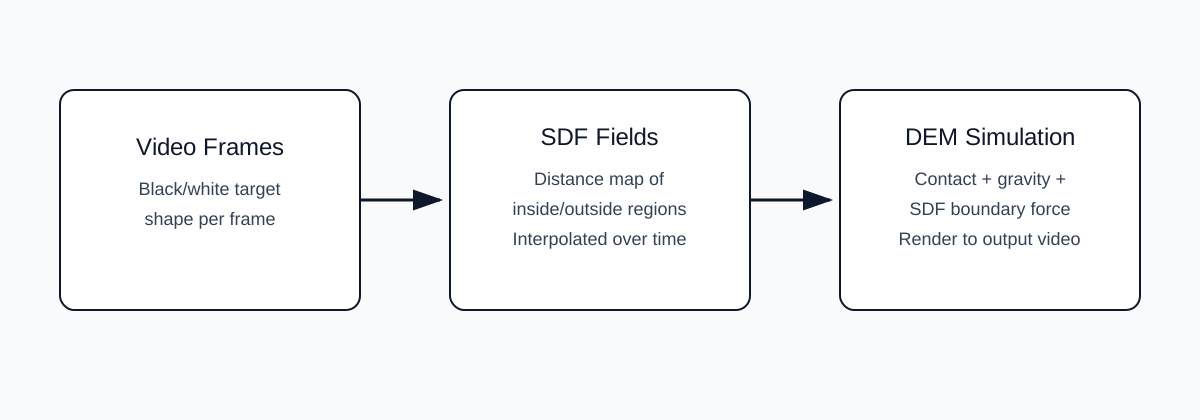
Stage 1 — Shape Extraction with SDFs
First, each video frame gets binarized into a black-and-white mask. Then I compute a Signed Distance Field (SDF) from that mask. If you haven't seen these before, an SDF just tells you how far each point is from the nearest edge:
- Negative — you're inside the shape.
- Zero — you're right on the boundary.
- Positive — you're outside.
Why SDFs? Because the gradient ∇φ always points toward the nearest boundary. So if a particle wanders outside the silhouette, I instantly know which direction to push it back. The SDF turns a flat image into something I can apply forces with.
One problem: the silhouette changes every frame, and if you just snap from one SDF to the next you get ugly pops. So I linearly interpolate between the current frame's SDF (t) and the next one (t+1) using a blend factor α that goes from 0 to 1 within each frame interval. Smooth transitions, no jarring jumps.
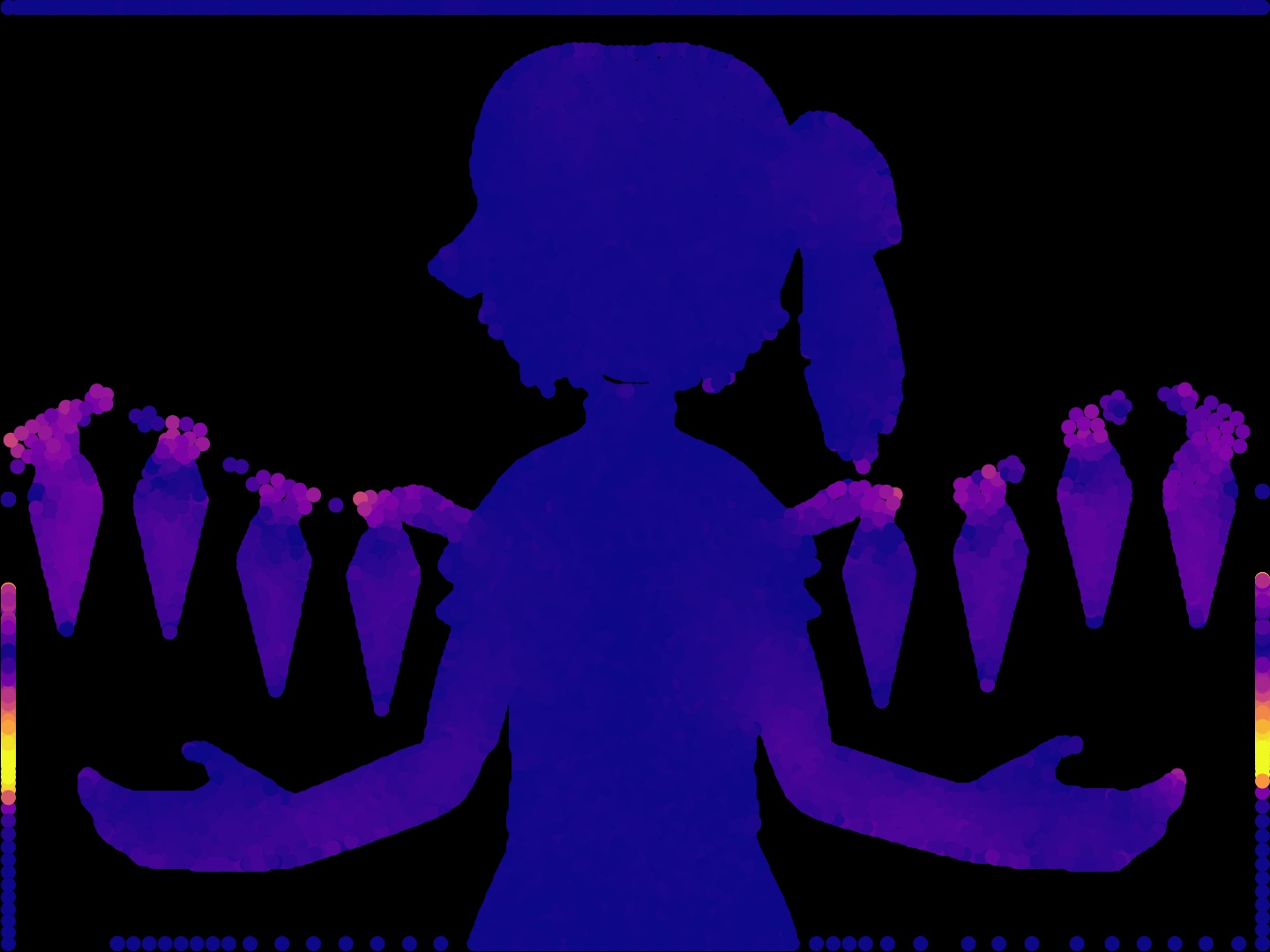
A sample target frame — the binarized silhouette that drives the SDF.
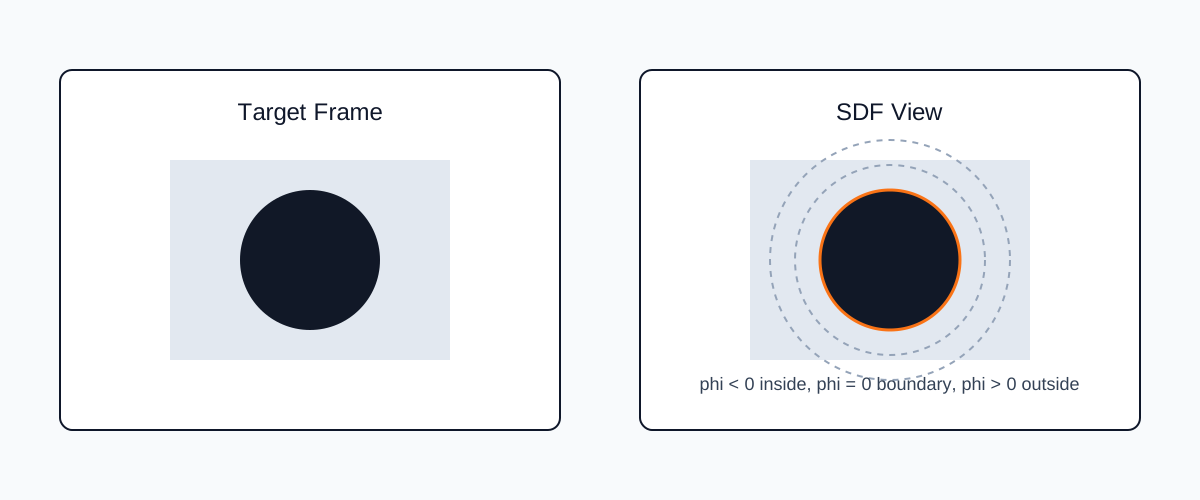
Pseudocode — SDF construction and blending:
# Binarize the raw frame into a silhouette mask
frame_bin = binarize(frame)

# Build signed distance fields for consecutive frames
sdf_t  = build_sdf(frame_bin)
sdf_t1 = build_sdf(next_frame_bin)

# Smooth interpolation factor: 0 at frame start, 1 at frame end
alpha = progress_inside_current_video_frame()

# Blended SDF for seamless shape transitions
sdf = (1 - alpha) * sdf_t + alpha * sdf_t1
Stage 2 — Particle Dynamics (DEM)
Now for the fun part. Discrete Element Method treats every particle as its own little rigid body and resolves collisions between pairs. It's the standard approach for simulating sand, gravel, that kind of thing — which is basically what we have here, except the grains are pixel-sized.
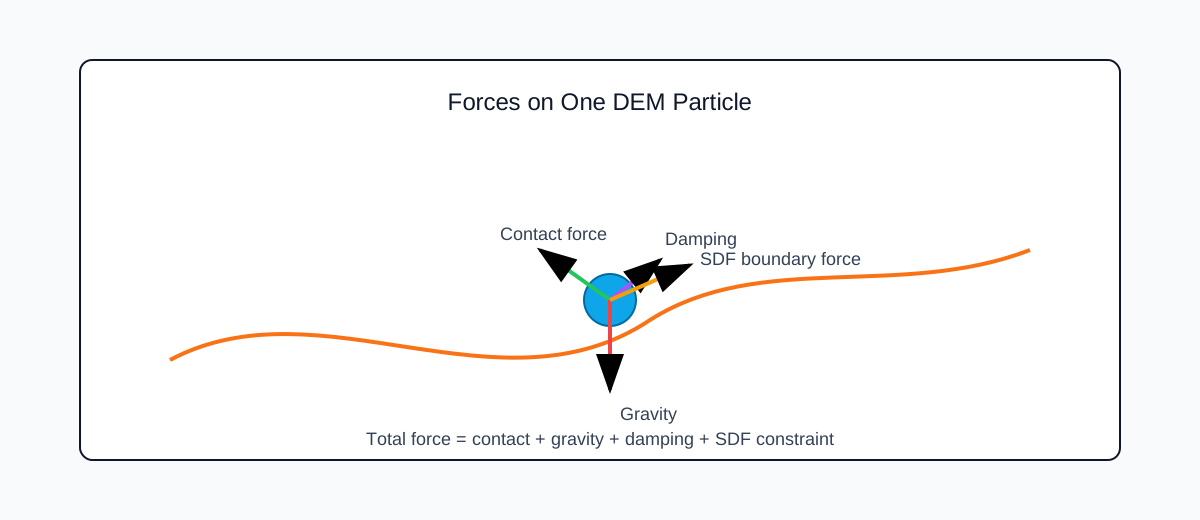
Four forces act on each particle every substep:
- Contact force — spring-dashpot model (Hertz–Mindlin or linear). Keeps particles from overlapping.
- Gravity — constant downward pull. Gives the sim that nice settling look.
- Velocity damping — basically drag. Without it, particles bounce around forever and never settle down.
- SDF boundary force — this is the interesting one. When a particle ends up outside the target shape (
φ > 0), it gets pushed back along−∇φ, harder the farther it's strayed. This is what actually sculpts the particles into each frame.
For time integration I use symplectic Euler. It's still first-order, but it conserves energy way better than plain explicit Euler — and that matters a lot when you have stiff contact forces running for thousands of frames.
Pseudocode — DEM substep loop:
for substep in 1..N:
    # Spatial hashing for O(n) broad-phase neighbor detection
    neighbors = build_neighbor_grid(particles)

    # Pairwise contact: spring + dashpot model
    f_contact = compute_contact_force(particles, neighbors)

    # External forces
    f_gravity = compute_gravity(particles)
    f_damping = compute_damping(particles)

    # Query the blended SDF at each particle position
    (phi, grad_phi) = sample_sdf(sdf, particles.pos)

    # Penalty force: push particles back inside the silhouette
    f_sdf = boundary_force(phi, grad_phi)

    # Sum all forces and advance state
    particles.force = f_contact + f_gravity + f_damping + f_sdf
    symplectic_euler_step(particles, dt)
Stage 3 — Rendering
Each video frame means running 10–50 DEM substeps (depends on how stiff the contacts are and your dt). Once the particles have landed roughly where they should be, I rasterize them into a pixel buffer and dump the image into a video stream. Nothing fancy here.
After all frames are done, I just mux the original Bad Apple!! audio onto the silent video. Done.
Pseudocode — render loop:
for video_frame in timeline:
    # Advance physics to let particles settle into the current shape
    run_many_dem_substeps()

    # Rasterize particle positions to a pixel buffer
    image = render_particles(particles)
    video_writer.write(image)

# Combine rendered video with the original audio
final_video = mux(video_without_audio, audio_track)
Closing Thoughts
Honestly, the thing I like most about this project is how dumb-simple the ingredients are. Distance fields, pairwise contacts, symplectic Euler. That's it. But when you put them together, you get this weirdly organic, grainy recreation of the original video that looks like nothing a pixel shader would produce. Emergent behavior is a hell of a drug.
If I ever revisit this, GPU acceleration (CUDA or Taichi) could probably push particle counts into the millions. Rolling friction and cohesion would make the particle behavior richer. Adaptive time-stepping would help with those frames where the silhouette changes really fast. But honestly, even as-is, I'm pretty happy with how far basic classical mechanics and a good boundary condition can take you.
引言
懂的都懂,互联网有个不成文的规矩:Bad Apple!! 必须在一切能显示画面的东西上播放一遍。示波器、Desmos、验孕棒都被人玩过了。所以我就想:如果不画像素,而是让几万个小粒子自己落到正确的位置呢?
于是就有了这个——用离散元方法(DEM)模拟出来的完整版 Bad Apple!!。每个粒子都是刚体,它们互相碰撞、在重力下堆积,然后被符号距离场(SDF)算出来的力推进每一帧的轮廓里。没有贴图,没有合成,纯靠物理。
原版参考视频
我的 DEM 模拟版本
怎么做的
拆开来看其实不复杂。每一帧视频,我需要让粒子跑到对的位置就行。所以流程就三步:提取形状、跑物理模拟、渲染输出。跟着视频时间线一帧一帧来。
阶段一——用 SDF 提取形状
先把每帧视频二值化成黑白蒙版,然后算一个符号距离场(SDF)。没接触过 SDF 的话,简单说就是对每个点算它离最近边界有多远:
- 负值——在形状里面。
- 零——刚好在边界上。
- 正值——在形状外面。
为啥用 SDF?因为它的梯度 ∇φ 天然指向最近的边界。粒子跑到轮廓外面了?直接沿梯度方向推回去就行。一张平面图片瞬间就变成了可以施加力的场。
不过有个问题:轮廓每帧都在变,如果直接切换 SDF 会很生硬。所以我在当前帧(t)和下一帧(t+1)的 SDF 之间做了线性插值,混合因子 α 在每个帧间隔内从 0 渐变到 1。这样过渡就丝滑多了。
一个采样目标帧——驱动 SDF 的二值化轮廓。
伪代码——SDF 构建与混合:
# 将原始帧二值化为轮廓蒙版
frame_bin = binarize(frame)

# 为连续帧构建符号距离场
sdf_t  = build_sdf(frame_bin)
sdf_t1 = build_sdf(next_frame_bin)

# 平滑插值因子:帧起始时为 0,帧结束时为 1
alpha = progress_inside_current_video_frame()

# 混合 SDF,实现无缝形状过渡
sdf = (1 - alpha) * sdf_t + alpha * sdf_t1
阶段二——DEM 粒子动力学
好玩的部分来了。离散元方法(DEM)把每个粒子当成独立的刚体,逐对算碰撞。本来是拿来模拟沙子、碎石这类东西的,不过我们这里的"颗粒"就是像素大小的小球,原理一样。
每个子步里,每个粒子受四种力:
- 接触力——弹簧-阻尼器模型(Hertz-Mindlin 或线性),防止粒子互相穿透。
- 重力——往下拽,让粒子有那种沉降堆积的感觉。
- 速度阻尼——就是阻力。不加的话粒子会一直弹来弹去永远停不下来。
- SDF 边界力——重点来了。粒子跑到轮廓外面(
φ > 0)的时候,沿着−∇φ方向推回去,跑得越远推得越狠。这个力才是真正把粒子"捏"成每帧形状的关键。
时间积分用的辛欧拉法(symplectic Euler)。虽然也是一阶的,但能量守恒比普通显式欧拉好太多了。跑几千帧带刚性接触的模拟,这个差别很明显。
伪代码——DEM 子步循环:
for substep in 1..N:
    # 空间哈希,用于 O(n) 的宽阶段邻居检测
    neighbors = build_neighbor_grid(particles)

    # 逐对接触:弹簧 + 阻尼器模型
    f_contact = compute_contact_force(particles, neighbors)

    # 外力
    f_gravity = compute_gravity(particles)
    f_damping = compute_damping(particles)

    # 在每个粒子位置采样混合后的 SDF
    (phi, grad_phi) = sample_sdf(sdf, particles.pos)

    # 惩罚力:将粒子推回轮廓内部
    f_sdf = boundary_force(phi, grad_phi)

    # 合力求和并推进状态
    particles.force = f_contact + f_gravity + f_damping + f_sdf
    symplectic_euler_step(particles, dt)
阶段三——渲染
每个视频帧跑 10–50 个 DEM 子步(具体多少取决于接触刚度和 dt 的选择)。粒子差不多到位之后,光栅化到像素缓冲区,写进视频流。这步没什么花哨的。
全部帧跑完之后,把 Bad Apple!! 原版音轨合上去就行了。搞定。
伪代码——渲染循环:
for video_frame in timeline:
    # 推进物理模拟,让粒子沉降到当前形状
    run_many_dem_substeps()

    # 将粒子位置光栅化到像素缓冲区
    image = render_particles(particles)
    video_writer.write(image)

# 将渲染好的视频与原始音轨合并
final_video = mux(video_without_audio, audio_track)
结语
说实话,这个项目最让我开心的地方就是它的原料真的很简单。距离场、逐对接触、辛欧拉,就这三样。但组合到一起之后,出来的效果有一种很有机的颗粒感,看起来跟像素着色器画出来的完全不是一回事。涌现行为确实很上头。
如果以后有空的话,GPU 加速(CUDA 或 Taichi)应该能把粒子数推到百万量级;加上滚动摩擦和黏聚力效果会更丰富;自适应时间步长能让形状快速变化的帧更稳定。不过说真的,就目前这个版本,经典力学加一个好用的边界条件能做到这个程度,我已经挺满意了。
Comments